Best Cricut Machines for Beginners 2026' buying guide
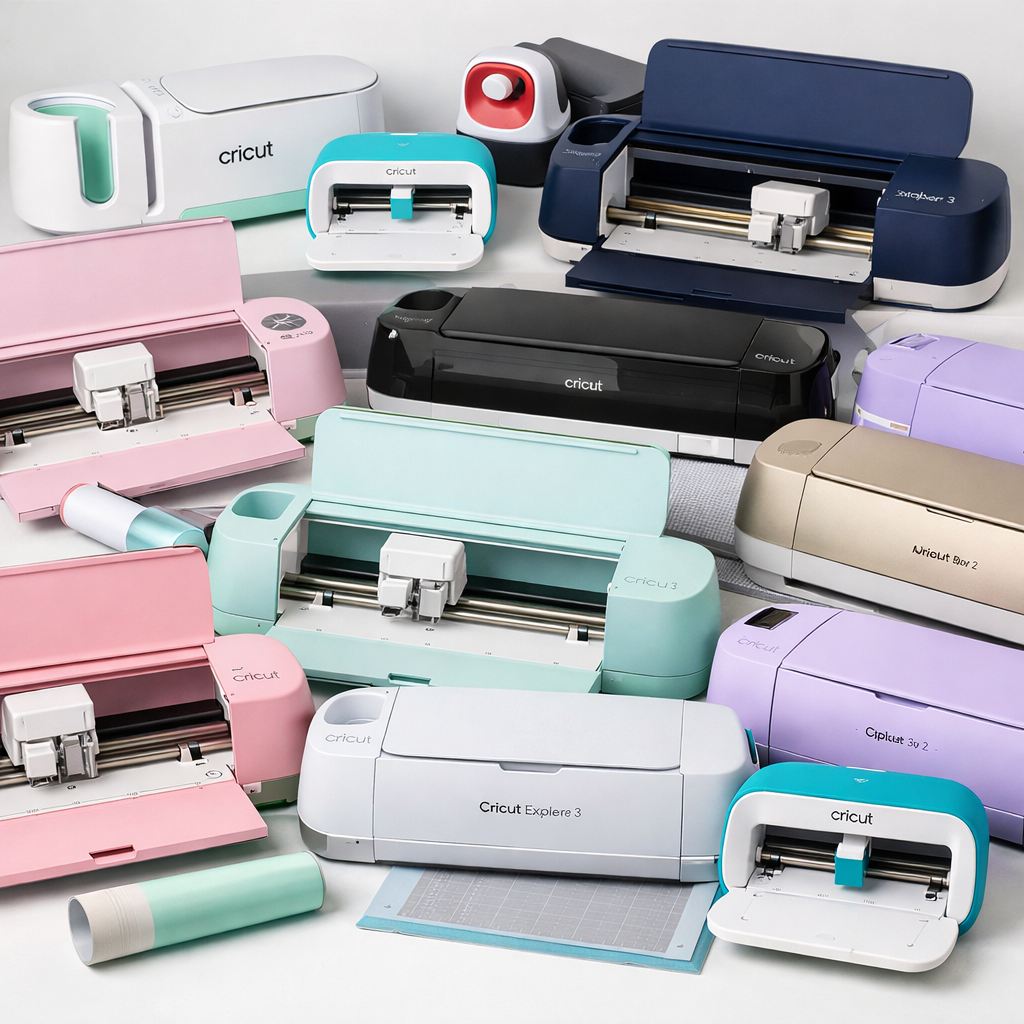
The Best Cricut Machines for Beginners in 2026: A Complete Buying Guide
We’ve tested the latest models to help you choose between the Cricut Maker 3, Explore 3, and Joy Xtra. Find out which machine fits your craft style, budget, and workspace.
If you are diving into the world of DIY crafting, choosing the right cutting machine can feel overwhelming. With new releases and updated models entering the market, the line between “basic” and “pro” has blurred.
For beginners in 2026, the goal isn’t necessarily to buy the most expensive machine—it’s to find the tool that matches your current skill level and project variety. Whether you are looking to make personalized t-shirts, intricate paper decorations, or vinyl decals for your home, there is a Cricut machine built specifically for you.
In this guide, we break down the top three contenders for beginner crafters: the versatile Cricut Maker 3, the reliable Cricut Explore 3, and the compact Cricut Joy Xtra. We’ll compare their capabilities, pricing structures, and ideal use cases so you can invest confidently.
Quick Comparison: Which Machine is Right for You?
Before diving into the details, here is a snapshot of how the leading 2026 models stack up against each other.
| Feature | Cricut Maker 3 | Cricut Explore 3 | Cricut Joy Xtra |
|---|---|---|---|
| Best For | Advanced beginners & multi-material pros | Standard DIY & Vinyl projects | Small projects & portability |
| Max Cutting Speed | 5,000 mm/sec | 5,000 mm/sec | 2,000 mm/sec |
| Material Compatibility | 100+ materials (including knife blade for balsa, mat, etc.) | 80+ materials (vinyl, cardstock, iron-on) | Vinyl, cardstock, infusible sublimation sheets, fabric |
| Max Cutting Width | 12 inches (with AutoLock Mat) | 12 inches | 4 inches (standard), up to 12 inches (with long mat) |
| Connectivity | Bluetooth & Wi-Fi | Bluetooth & Wi-Fi | Bluetooth & Wi-Fi |
1. Cricut Maker 3: The Ultimate All-in-One Powerhouse
The Maker 3 is the flagship model, and for many beginners, it is the best choice because it offers the longest learning curve. You won’t outgrow this machine quickly.
Key Features for Beginners
- Dial System: The smart Dial allows you to select your material instantly, removing the guesswork from settings.
- Adaptive Blade: This single blade adjusts its length automatically, meaning you don’t need to swap out physical blades for different thicknesses.
- Large Workspace: It handles large projects like full-size quilts or wide banners with ease.
Verdict: If your budget allows, start with the Maker 3. While it is an investment, it covers 95% of all craft needs, from delicate tissue paper to sturdy basswood.
2. Cricut Explore 3: The Reliable Workhorse
For years, the Explore series was the go-to recommendation for new crafters. The Explore 3 maintains that reputation by offering speed and reliability for the most common crafting materials.
Why Choose the Explore 3?
This machine is perfect if your primary projects involve vinyl decals, cardstock invitations, iron-on t-shirts, and basic paper crafts. It lacks the specialized tools for thick materials (like the Maker’s knife blade), but for 80% of hobbyists, those extra capabilities aren’t necessary.
Verdict: Choose the Explore 3 if you want a fast, dependable machine for everyday crafting without the premium price tag. It is the sweet spot for beginners who know they want to do vinyl and paper projects and don’t need to cut leather or balsa wood.
3. Cricut Joy Xtra: The Compact, Portable Pick
The Cricut Joy Xtra is designed for crafters who value portability and simplicity above all else. At just 6 pounds, it fits easily on a kitchen counter, a classroom desk, or even a small apartment shelf—making it ideal for crafters with limited workspace.
What Makes the Joy Xtra Stand Out
- Smart Material Capability: Like its bigger siblings, the Joy Xtra works with Cricut’s Smart Materials—vinyl, iron-on, and paper that feed directly without a cutting mat, enabling continuous cuts up to 12 feet long.
- 50+ Materials Supported: It handles vinyl, iron-on HTV, cardstock, infusible sublimation sheets, and fabric. It also supports the Print-Then-Cut feature, letting you use a home inkjet printer for full-color designs like stickers.
- Write, Draw, Cut, and Foil: Swap out the included fine-point blade for accessories to write, draw, or add foil effects to your projects.
- Bluetooth Connectivity: Connect wirelessly from your phone, tablet, or computer through the free Cricut Design Space app—no Wi-Fi required.
Who Should Buy the Joy Xtra?
The Joy Xtra is the go-to for beginners who primarily want to create labels, decals, classroom organization stickers, gift tags, and small paper crafts. It’s also an excellent entry point for teachers, parents, and small business owners who need quick, portable personalization solutions.
At a typical retail price of around $179 for the standalone unit (often less with bundle discounts), the Joy Xtra is the most affordable option among the three. Bundles that include Smart Vinyl rolls, transfer tape, and starter tools typically run between $150 and $230 depending on promotions.
Verdict: Pick the Joy Xtra if your crafting is label- and decal-heavy, your workspace is tight, or you simply want the lowest-risk entry into the Cricut ecosystem. You won’t be able to cut thick materials, but for everyday beginner projects, it excels.
How to Decide: A Simple Decision Framework
Still not sure which machine is right? Answer these four quick questions:
- What materials do you plan to cut most often? If it’s mostly vinyl, cardstock, and iron-on, any of the three will work. If you want to cut leather, basswood, or matboard, the Maker 3 is your only option.
- How much counter space do you have? The Maker 3 is the largest machine physically. The Explore 3 is moderately sized. The Joy Xtra is the smallest—roughly the size of a shoebox.
- What’s your budget? The Joy Xtra starts around $179. The Explore 3 typically runs $199–$249. The Maker 3 sits at $299–$399. Consider bundle deals, which often include essential tools and materials.
- Do you plan to scale up your crafting? If you see yourself growing into a serious hobby or small business, the Maker 3 gives you room to grow. If you’re testing the waters, the Joy Xtra lets you dip your toes in without a major commitment.
Don’t Forget: Ongoing Costs and Accessories
Your Cricut machine is just the beginning. Budget for these essentials:
- Additional cutting mats: StandardGrip mats ($10–$15 each) for cardstock and vinyl; LightGrip mats ($12–$18) for delicate materials; StrongGrip ($18–$25) for thick materials like chipboard.
- Smart Materials: Smart Vinyl rolls and Smart Iron-On start around $10–$15 per pack. These eliminate the need for mats entirely.
- Weeding tools: A basic weeding tool set costs $10–$20 and is essential for removing excess vinyl from your designs.
- Cricut Access: Optional subscription ($9.99/month or $59.99/year) unlocks thousands of designs, fonts, and project templates. The free tier of Design Space is generous, but Access significantly expands your creative options.
Final Thoughts
Choosing your first Cricut machine doesn’t have to be a daunting decision. The Maker 3 is the best all-rounder if you want maximum versatility and room to grow. The Explore 3 hits the sweet spot for beginners who want speed, reliability, and a fair price for everyday projects. And the Joy Xtra is the perfect fit for crafters who prioritize portability, simplicity, and budget-friendly entry.
Whatever you choose, you’ll be joining millions of crafters worldwide who use Cricut machines to bring their creative ideas to life. Start small, experiment with a few projects, and let your crafting evolve naturally. The best machine is the one that gets used—not the one gathering dust in a closet.


0 comments